How to use Emergency Fund Aquarium
The whole app, explained in plain words. Ten minutes from "what is this" to "I've got it".
The big picture
You set a savings goal. Every deposit you log fills the tank a little more. As the water rises, sea creatures show up and stay.
Saving is the least rewarding useful thing you can do. The money leaves, nothing happens, and the payoff is an emergency that might not come for years. This app gives you something to look at in the meantime. The tank is the progress bar, and it's a much better progress bar.
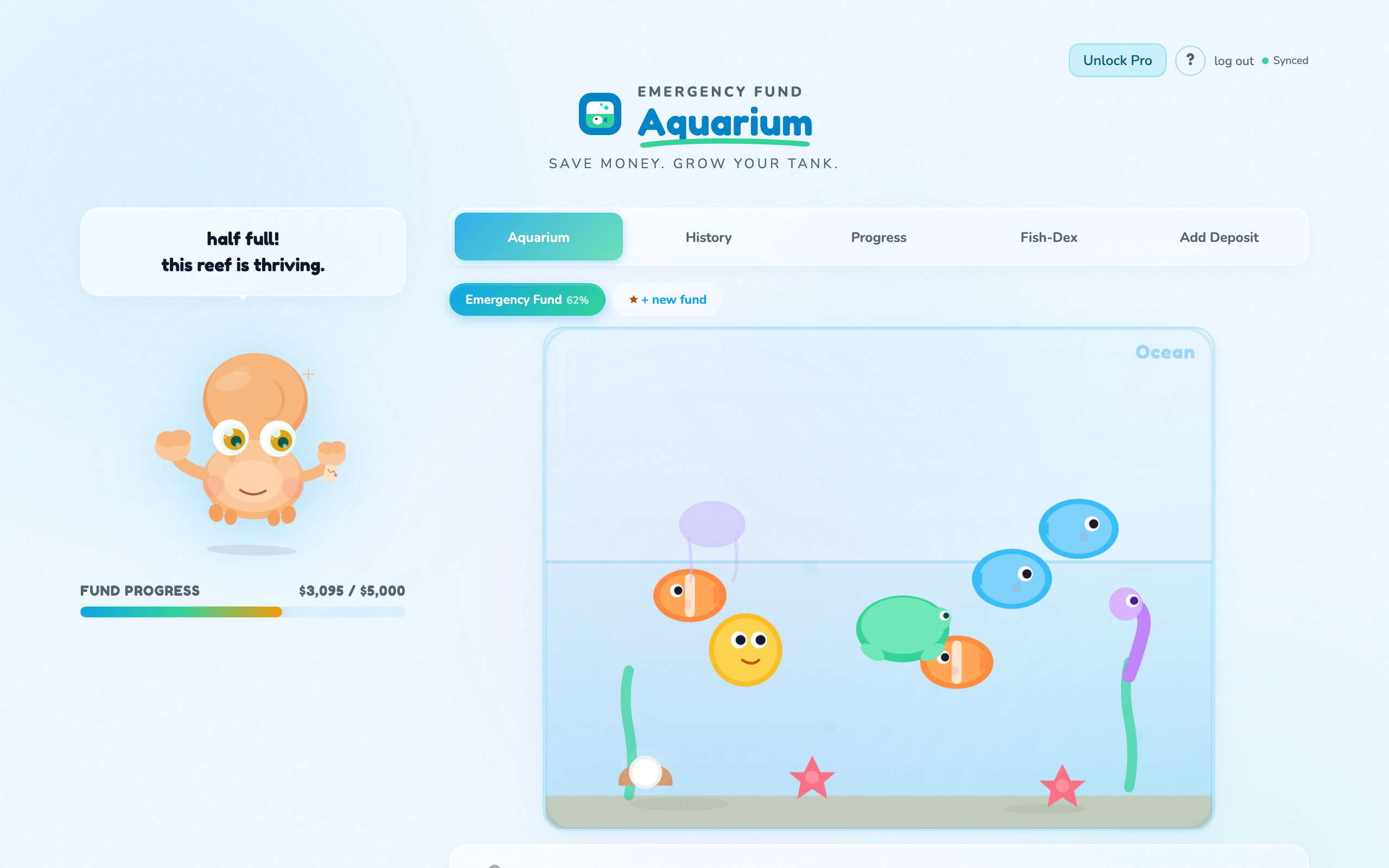
The tank is your savings. Everything living in it arrived because you put money in.
Step one: set your goal
The first thing the app asks for is a goal name and a target amount. "Emergency Fund" and whatever number you're aiming at.
If you don't have a number, start with $1,000. It's the standard starter emergency fund and it covers most of the things that actually go wrong: a car repair, a vet visit, a deductible. You can change the target later without losing anything.
Step two: log deposits
Go to Add Deposit, put in the amount and the date, and add a note if you want to remember where it came from. Tax refund, bonus, a good sales week.
Log the small ones too. $12 counts. The tank doesn't care where the water came from, and neither does an emergency fund.
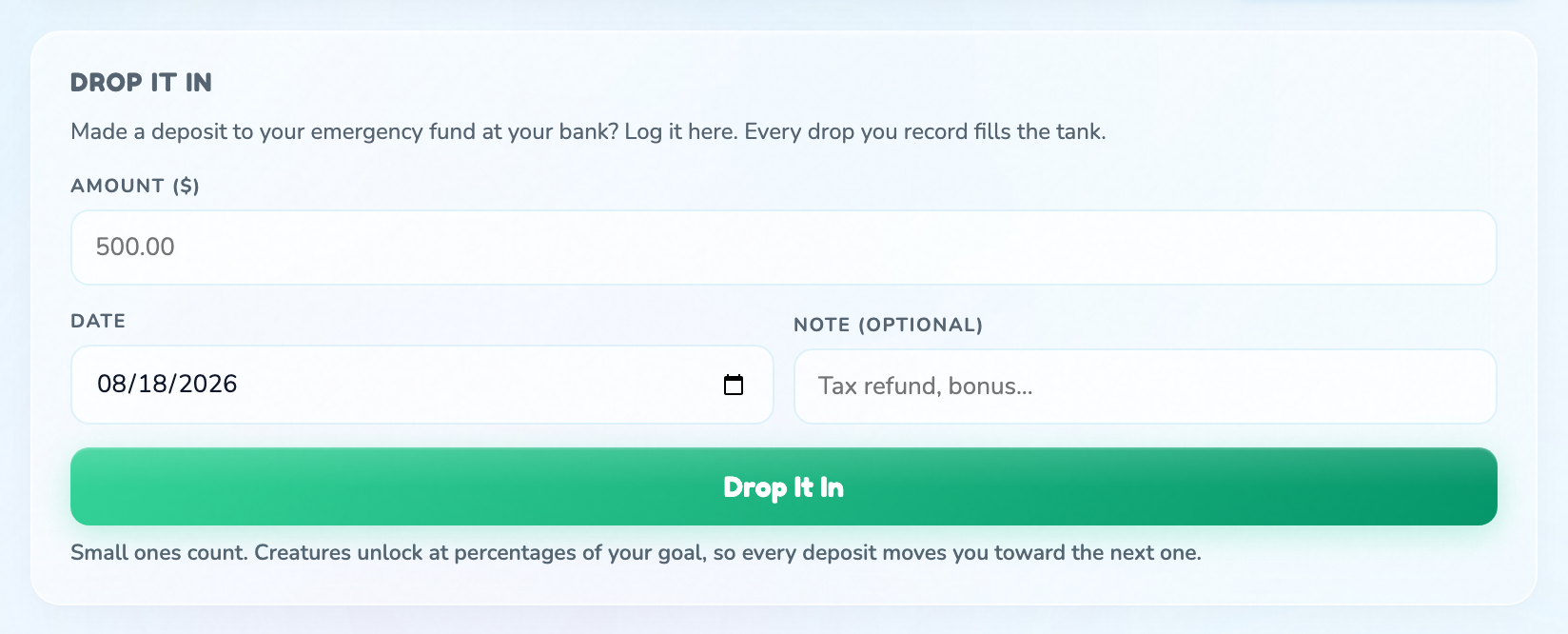
Amount, date, and a note to your future self.
How the tank comes alive
Creatures arrive at percentages of your goal, not dollar amounts. So the milestones land in the same places whether you're saving $1,000 or $20,000.
Once a creature arrives it stays. The tank only ever gets fuller as long as you keep depositing.
What each tab is for
- Aquarium is the tank itself, and where you'll spend your time.
- History is every deposit you've logged.
- Progress is how far along you are and how it's been going.
- Fish-Dex is the collection: every creature you've met, and what's still out there.
- Add Deposit is the form.
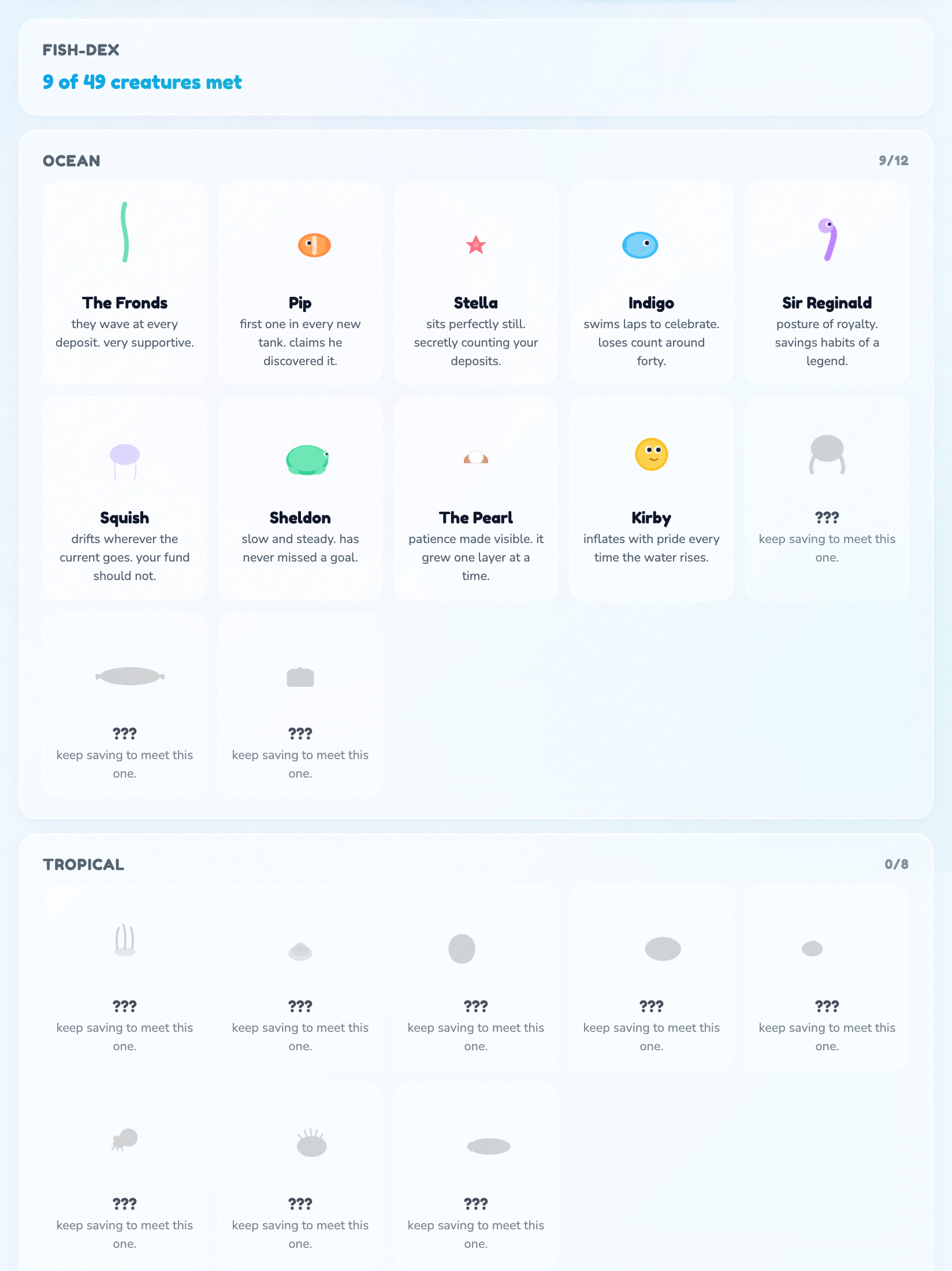
The Fish-Dex: what you've met, and what's still waiting further up the tank.
Biomes
A biome is what your tank looks like and which creatures live in it. Ocean and Tropical are free. Deep Sea, Lake, Coral Reef and Arctic are part of Pro, and each has its own set of creatures to find.
Your first ten minutes
- Set a goal. $1,000 if you're not sure. The number matters less than starting.
- Log what you already have set aside. Even if it's $40. That's your starting water level.
- Look at the tank. Then check the Fish-Dex to see what's coming at the next milestone.
What's free and what's Pro
Free is a real savings tracker, not a trial. Pro is one pass that also covers the other four apps in the hub.
| Feature | Free | Pro |
|---|---|---|
| Active savings goals | 1 | Unlimited |
| Deposits | Unlimited | Unlimited |
| The tank, creatures, Fish-Dex | Yes | Yes |
| Biomes | Ocean, Tropical | Plus Deep Sea, Lake, Coral Reef, Arctic |
Quick answers
- Does this connect to my bank?
- No, and it never asks. You log deposits yourself. There's no bank connection and no card.
- What if I have to spend the money?
- That's what it's for. There's no withdrawal entry, so the way to bring the level back down is to delete deposits in History until the total matches what's really there. Then start refilling. Using it in an emergency is the fund working, not the fund failing.
- Do creatures arrive at dollar amounts or percentages?
- Percentages of your goal. A $1,000 goal and a $20,000 goal hit the same milestones at the same points along the way.
- Can I change my target later?
- Yes. Your deposits stay; the percentages just recalculate against the new number.
- Can I see the app tour again?
- Yes. Tap the ? button at the top of the app, then Show me around.
- Where do I ask for help?
- The feedback button in the corner of the app comes straight to me, Jen. I read every one.